
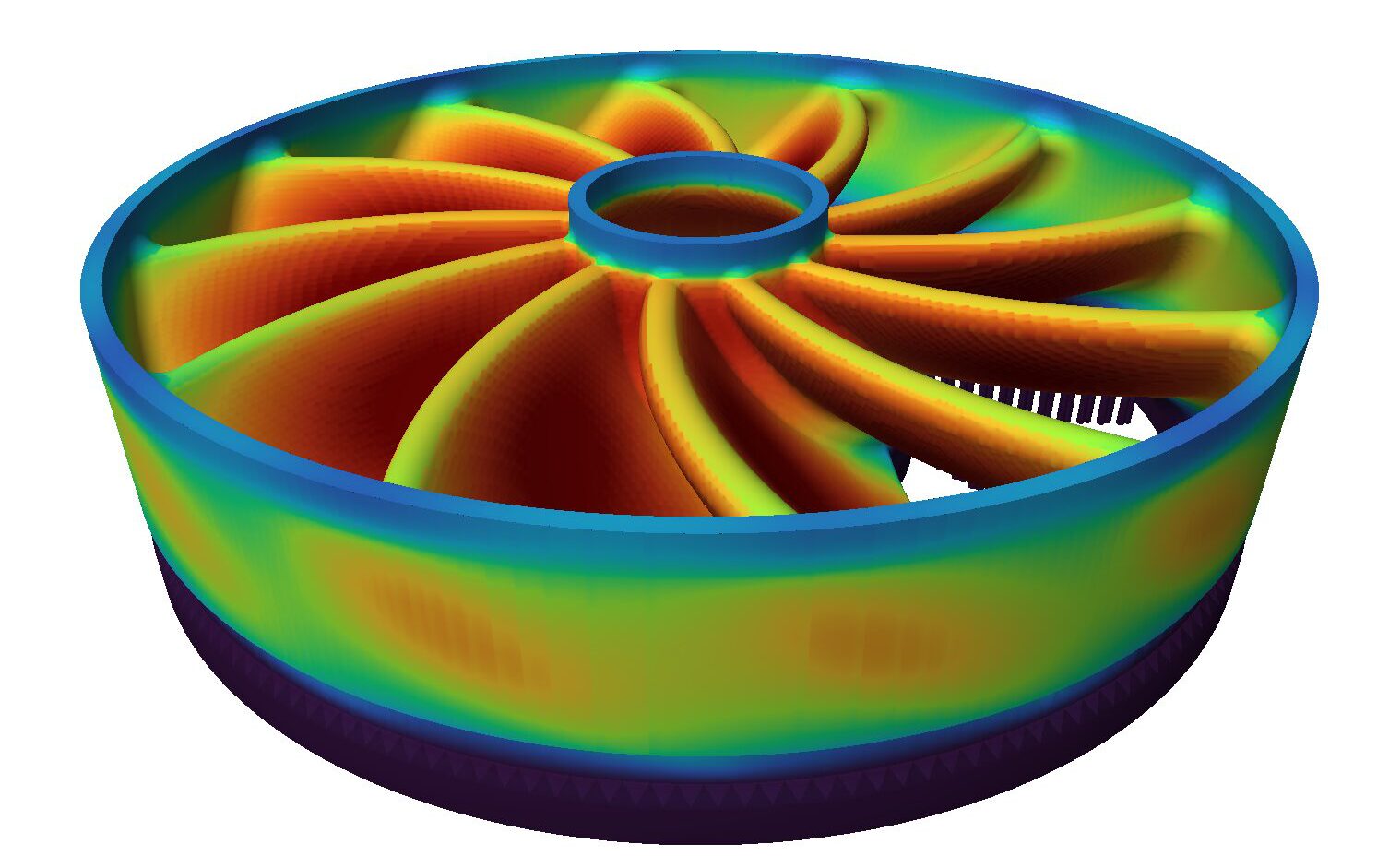
There’s a specific moment every metal AM team dreads: opening the build chamber to find a part that’s warped, cracked, or partially fused to its supports — after hours, sometimes days, of machine time already spent. The failure wasn’t random. It was thermal, and it was predictable. It just wasn’t predicted.
Heat Is the Real Variable in LPBF
Laser powder bed fusion builds parts one thin layer at a time, melting metal powder with a laser and letting it solidify before the next layer goes down. Every one of those melt events adds heat to the part and the surrounding powder bed. Over thousands of layers, that heat doesn’t disappear — it accumulates, redistributes, and drives the internal stresses that ultimately determine whether a build succeeds.
The problem is that heat behavior in a metal AM build is not intuitive. A geometry with a large flat section, a thin wall, or an unsupported overhang will trap and dissipate heat completely differently than the part next to it on the same build plate — even using the same machine and the same material. Without a way to see that behavior in advance, teams are effectively finding out how a part handles heat by watching it fail in real time.
What Fast Heat Simulation Does
Fast Heat Simulation — the core of the Build Engine module in AMSIS GENESIS Print Suite — runs a physics-based thermal simulation of the entire build before a single layer is printed. It models how heat will accumulate and move through the part, layer by layer, and flags exactly where the build is at risk: hot spots that could cause warping, thermal gradients steep enough to crack a feature, or zones where a support is likely to fail under thermal load.
Critically, this happens on a screen, not on a machine. An engineer can see the predicted outcome, adjust the build plan — orientation, supports, scan strategy — and re-check it, all without spending a single hour of machine time or a gram of powder on a build that was never going to succeed.
Why „First-Time-Right“ Is an Economic Argument, Not Just a Technical One
Every failed LPBF build carries a real, compounding cost:
- Machine time that could have run a successful build instead
- Powder that’s consumed or degraded and can’t be fully recovered
- Schedule slip, which matters more in regulated, complex-sale environments where a program’s timeline is often the tightest constraint
- Engineering hours spent diagnosing a failure after the fact instead of preventing it before
None of those costs show up on a single line item, which is part of why they’re easy to underestimate. But teams running LPBF at production scale feel them directly, build after build — and the compounding effect is exactly why organizations like Premium Aerotec have made thermal simulation part of how they validate a build before committing to it.
Simulation That Fits a Real Production Workflow
„Fast“ is doing real work in the name. Thermal simulation only changes outcomes if it’s fast enough to run routinely — not just for a handful of critical parts, but as a standard step before every build, across a fleet of machines and a constantly changing part mix. Fast Heat Simulation is built for that pace, so it becomes part of the standard build-preparation workflow rather than a specialized analysis reserved for exceptions.
It also doesn’t work alone. Inside GENESIS Print Suite, Fast Heat Simulation feeds directly into Smart Hatching, which uses the same thermal insight to optimize scan strategy, and into Power Control, which adjusts laser parameters to hold melt quality steady across the predicted thermal landscape. The result is a build plan that’s been checked against physics on every axis that matters — before it becomes a physical commitment on the machine.
The Shift This Enables
The teams getting the most out of metal AM today aren’t the ones with the most experienced eye for guessing what a build will do. They’re the ones who’ve replaced that guess with a simulation — one that turns „we’ll find out when it’s done“ into „we already know before we start.“
Frequently asked questions
What does Fast Heat Simulation actually predict?
It predicts how heat will accumulate and move through a part across every layer of an LPBF build, flagging hot spots, steep thermal gradients, and areas at risk of warping, cracking, or support failure — before printing begins.
How is thermal simulation different from just running a test build?
A test build finds problems after they happen, at the cost of machine time, powder, and schedule. Thermal simulation finds the same problems on a screen, in minutes, with no material or machine time consumed.
What's the real cost of a failed metal AM build?
Beyond the scrapped part, a failed build consumes machine time that could have run a successful print, wastes powder, delays the program schedule, and adds engineering hours spent diagnosing what went wrong.
Does Fast Heat Simulation work with other GENESIS modules?
Yes. It feeds thermal predictions directly into Smart Hatching for scan-path optimization and into Power Control for laser parameter tuning, so the full build plan is checked against physics before it runs.